02 / 3D configurator · E-commerce
3D Keycap Customizer
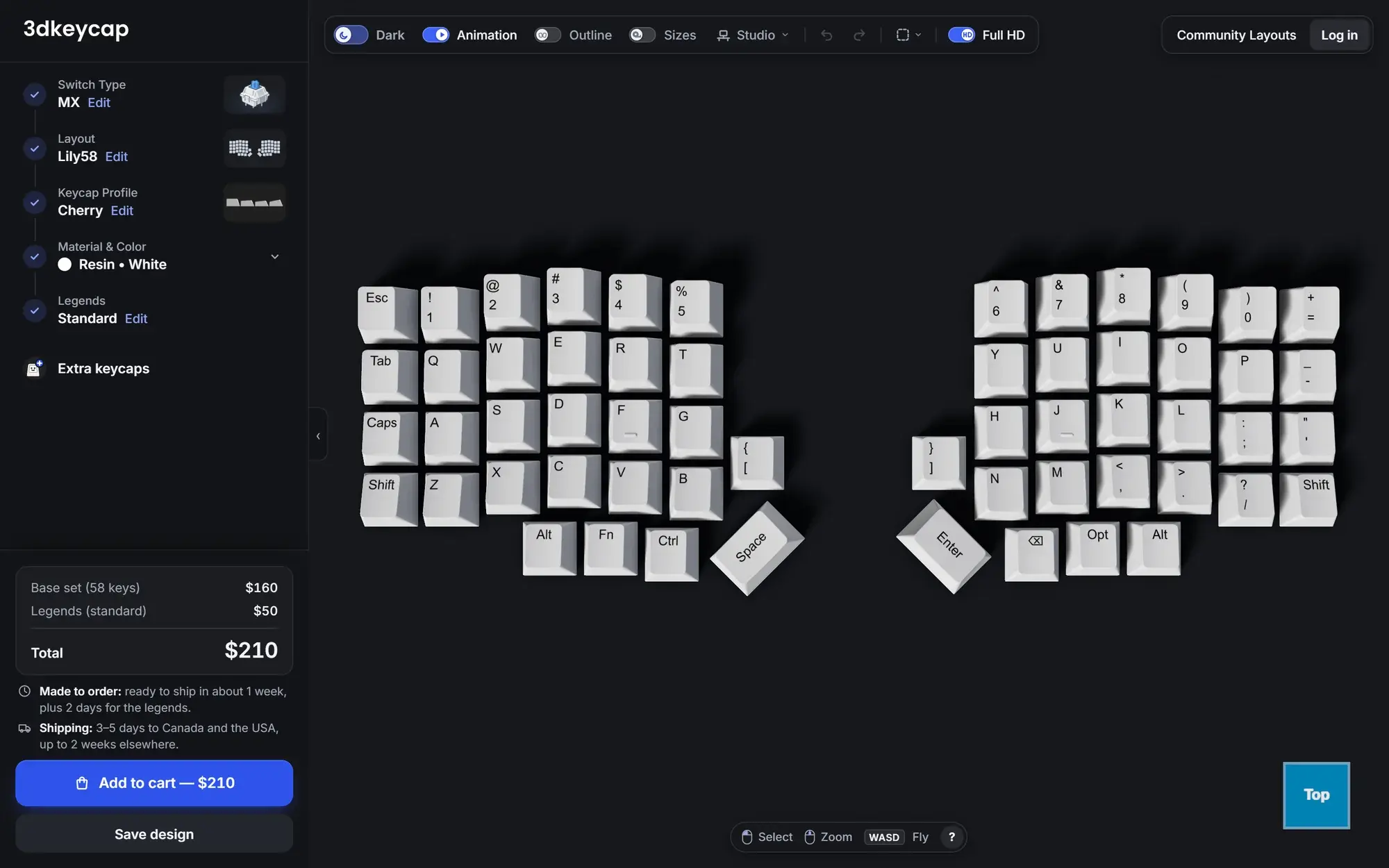
A real-time 3D configurator for a client's custom keycap business: used by 10,000+ people to design every key, see it in 3D and order it in one flow.
- Type
- Client web application
- Year
- 2026
- Services
- Web application · 3D interface · E-commerce flow · UX design
- Live
- Visit site
- Users designing their keyboard layout
- 10,000+
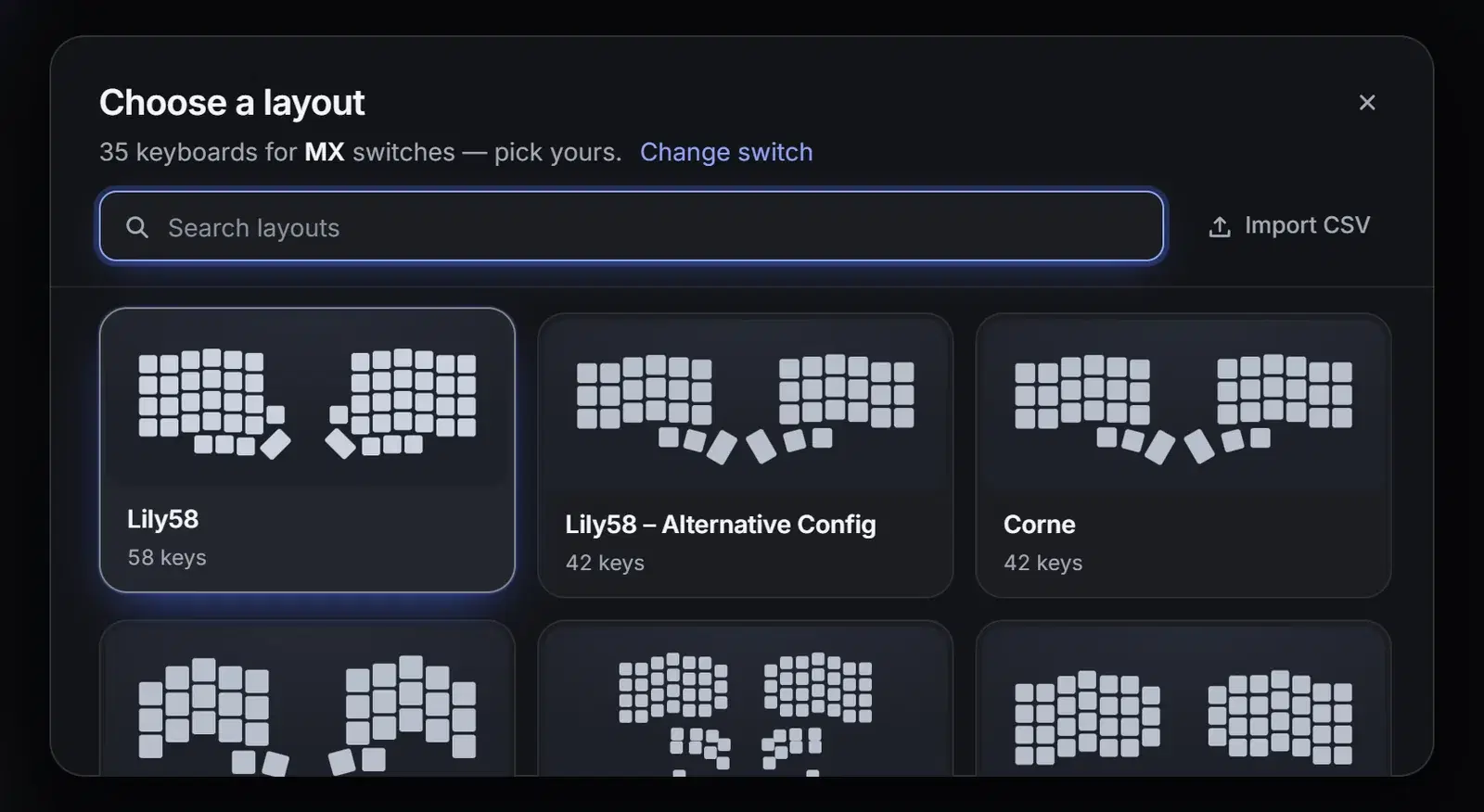
- Keyboard layouts for MX switches
- 35
- Guided steps to a full design
- 5
- 3D preview & pricing
- Live
The challenge
Custom keycaps for split and ergonomic keyboards are hard to buy. There are dozens of layouts, profiles, materials and legends, and customers have to pay for a made-to-order set without seeing what it will look like.
What we built
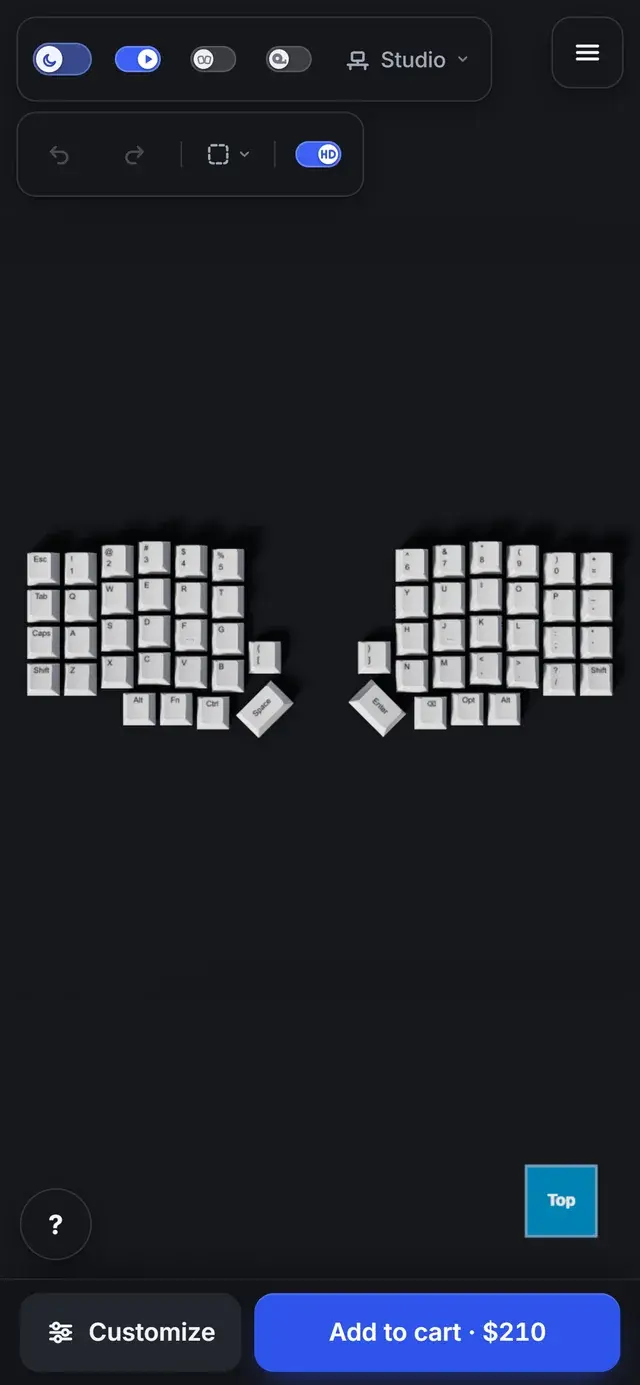
A guided configurator that turns those choices into five clear steps while a live 3D model of the keyboard updates with every decision, down to individual keys. The price is recalculated instantly, with a direct path to the cart. Built for a client, it has been used by more than 10,000 people and has become a real source of revenue for the business.
- 01
A guided flow, not a wall of options
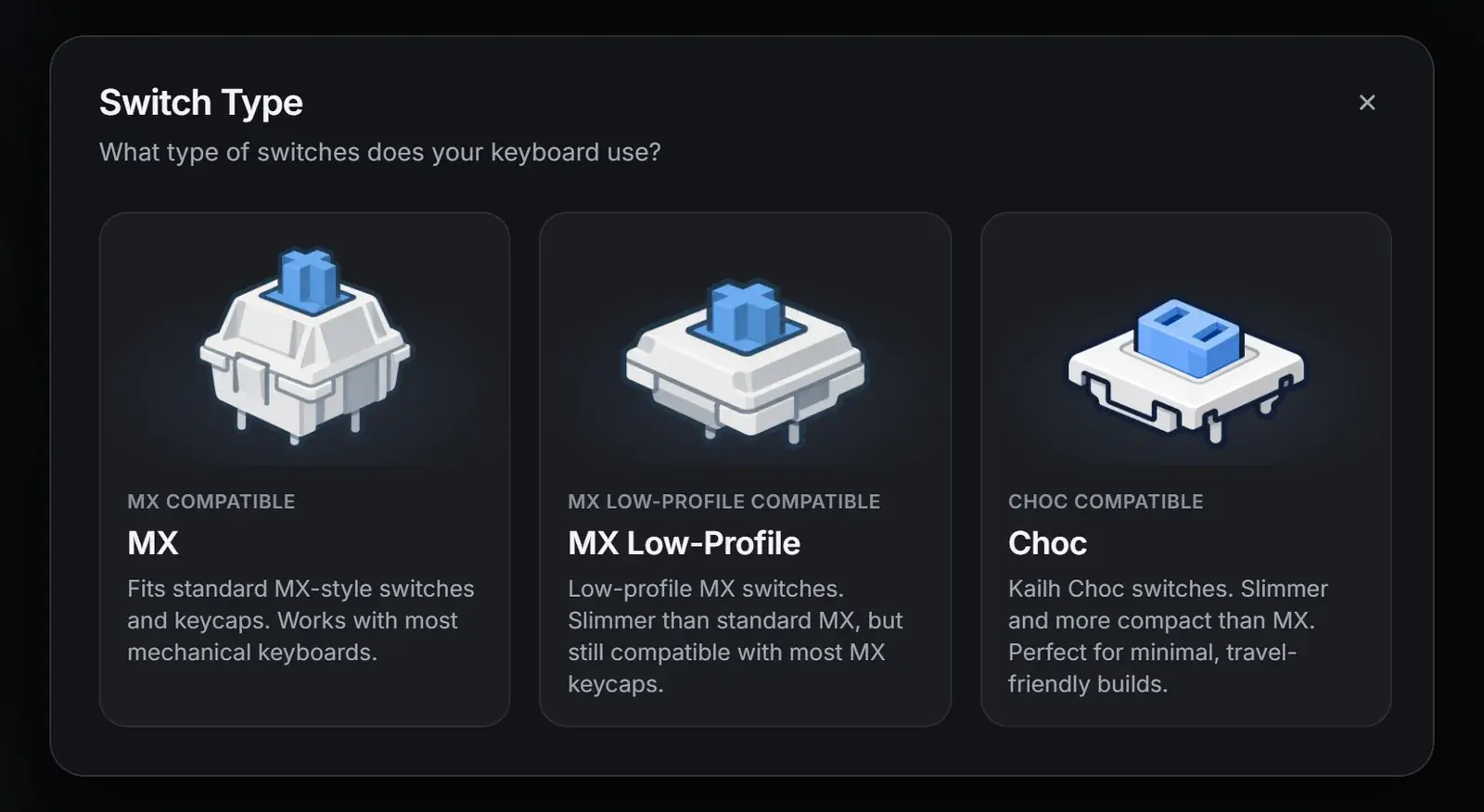
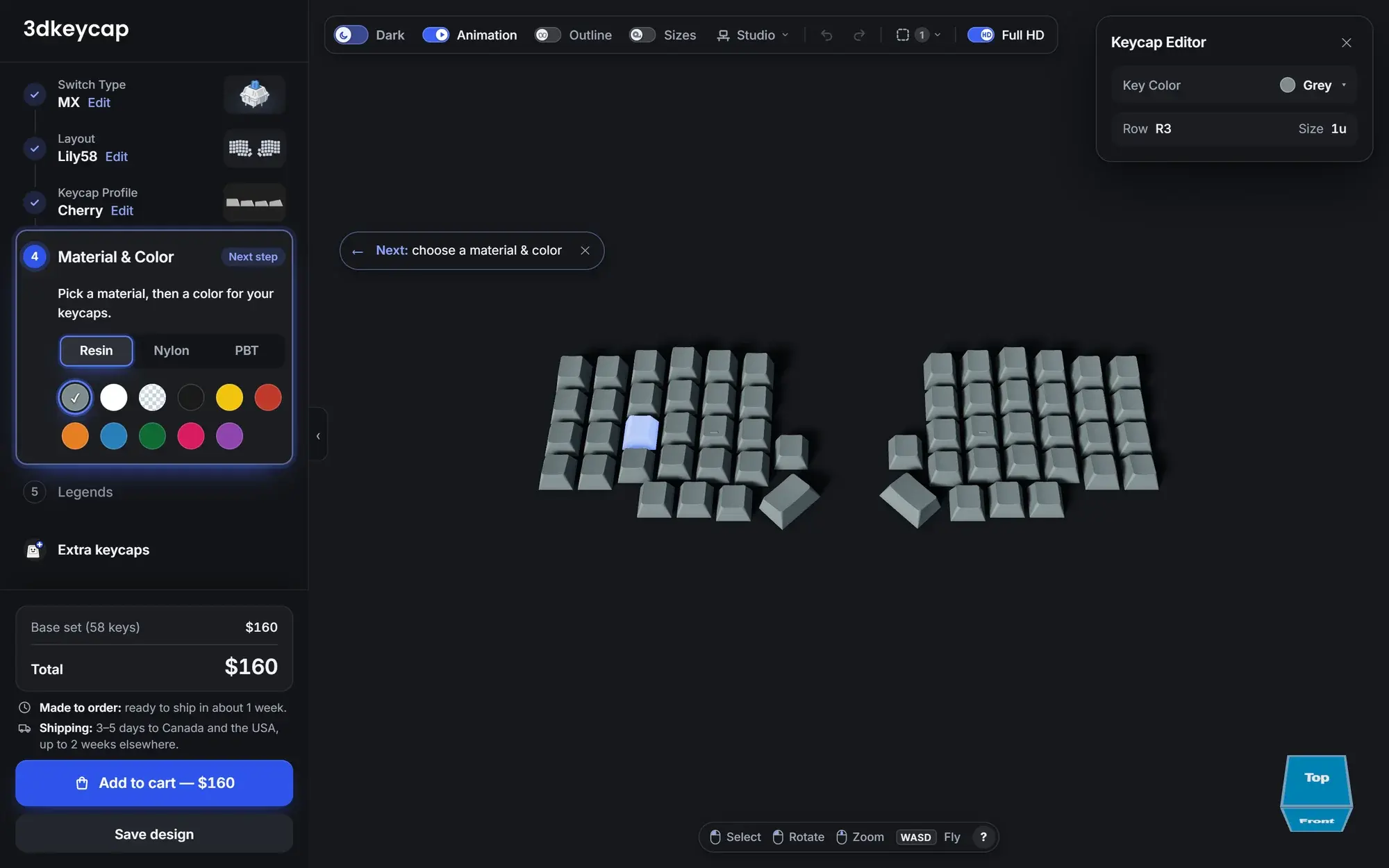
Switch type, layout, keycap profile, material and color, then legends. Each step unlocks the next, so first-time buyers never get lost.
- 02
Real-time 3D, down to the key
The keyboard renders in 3D as you build it. Select any keycap to change its color individually, rotate, zoom or fly around the board.
- 03
Pricing that follows the design
Base set, legends and extra keycaps are priced live, with production and shipping times shown before checkout.
- 04
Built for real keyboards
Popular split boards like the Lily58, Corne, Sofle and Moonlander, CSV import for custom layouts, community layouts and saved designs.
Technology
- Angular
- TypeScript
- WebGL 3D
- Netlify
Want something like this for your business?
Book a discovery call